

Most aspiring entrepreneurs stop before they ever start. They have a brilliant idea for a guide on knitting patterns or a budget tracker for college students. But then, the doubt creeps in.
“I’m not a professional writer.”
“I can’t design a cover to save my life.”
“Who am I to teach this?”
That is Imposter Syndrome talking. It convinces you that you need a degree, a decade of experience, or a massive budget to sell digital products.
Here is the reality: You don’t need to be an expert writer or a graphic designer. You just need a strategy and the right tools.
We are living in a time where you can hire a junior assistant, a ghostwriter, and an illustrator for free. That “staff” is Artificial Intelligence (AI). This post isn’t about letting robots run your business on autopilot. It is a create digital products using AI free guide designed to position AI as your co-creator. It handles the heavy lifting so you can focus on the value you provide.
Let’s break down how to go from “I can’t” to “It’s for sale.”
The “Co-Creator” Mindset Shift
The biggest mistake new sellers make with AI is thinking it’s a magic button. They want to type “make me money” and wake up rich. That doesn’t work.
AI is not the CEO of your business. You are.
Think of AI as a very eager, very fast intern. It creates drafts, brainstorms ideas, and fixes formulas. But it lacks your intuition, your specific knowledge, and your human touch. When you view AI as a collaborator rather than a replacement, you remove the pressure to be perfect. You don’t have to face a blank page alone anymore.
Writing Ebooks Without Being a “Writer”
Writing an ebook is one of the most profitable digital products you can launch. It’s also the most intimidating. Staring at a blinking cursor for hours is enough to make anyone quit.
Using tools like ChatGPT allows you to bypass the dreaded “writer’s block.” Here is a pragmatic workflow to get your first draft done in days, not months.
1. The Outline Phase
Never start writing chapter one immediately. You need a roadmap. Go to ChatGPT and input a prompt like this:
“I want to create an ebook about [Topic] for [Target Audience]. Please generate a detailed outline with 10 chapters. Each chapter should solve a specific problem the audience faces.”
Review the output. Does Chapter 3 make sense? Is Chapter 7 redundant? Move things around. You are the editor; the AI is the scribe.
2. Drafting the Content
Once you have an outline, tackle one chapter at a time. Ask the AI to write the content for that specific section. Be specific about the tone you want.
“Write a draft for Chapter 1 based on the outline above. Use a friendly, encouraging tone. Include an analogy to explain [Complex Concept].”
3. The Critical Step: Human Editing
This is where you earn your money. Raw AI text can often sound robotic or repetitive. It might use phrases like “In the realm of…” or “It is important to note…” too often.
You must rewrite the content to sound like you. Add your personal stories. Throw in your specific examples. If the AI suggests a generic tip, replace it with a specific strategy you know works. Your voice is what builds trust with the buyer, not the robot’s syntax.
Designing Professional Visuals (No Art Degree Required)
People judge books by their covers. It’s a cliché because it’s true. On platforms like Gumroad or Etsy, your thumbnail image is the only thing standing between a scroll and a click.
If you aren’t a designer, this used to mean hiring expensive freelancers. Now, AI creates stunning visuals in seconds.
Cover Art with Generative AI
Tools like Midjourney or Canva’s Magic Media allow you to generate custom imagery from text prompts.
If you are selling a guide on “Indoor Gardening,” you don’t need to hunt for stock photos that thousands of other people are using. You can generate a unique image with a prompt like:
“A bright, modern living room filled with lush green potted plants, sunlight streaming through the window, photorealistic style, high resolution.”
Internal Illustrations
Text-heavy ebooks are boring. Readers need visual breaks. Use AI to create diagrams, icons, or chapter headers that match your brand aesthetic.
If your brand is minimalist, ask the AI for “simple line art illustrations of [topic].” If your brand is bold and colorful, ask for “vibrant, flat vector art.” Consistency creates a professional feel that justifies a higher price point.
Building High-Value Worksheets and Templates
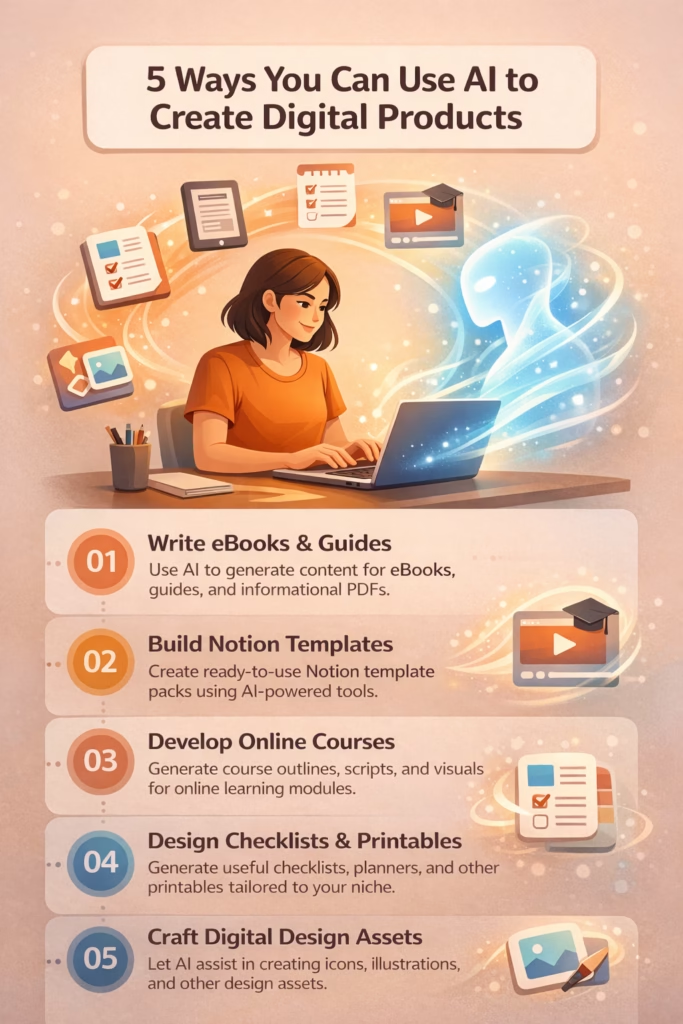
Information is good, but transformation is better. People love ebooks, but they buy tools that help them get results faster. This includes checklists, trackers, and spreadsheets.
The technical barrier here is usually formatting or complex formulas. AI solves both.
The Checklist Generator
Let’s say you are selling a “Wedding Planning Guide.” A simple PDF checklist adds massive value. But what if you forget a step?
Ask your AI co-creator:
“Create a comprehensive checklist for a wedding planned in 6 months. Break it down month-by-month. Ensure no logistical detail is missed.”
Take the output, verify it against your knowledge, and copy it into a document. You just created a lead magnet or a bonus product in two minutes.
Taming the Spreadsheet Beast
Selling Excel or Notion templates is a huge market. However, staring at an empty cell wondering how to write an “IF/THEN” formula stops many creators.
You don’t need to learn Excel syntax. You just need to describe what you want the cell to do.
“I am making a budget tracker in Excel. I need a formula for Cell C5 that subtracts the expenses in Column B from the income in Column A, but only if the date in Column D is in the current month.”
Copy the formula it gives you. Paste it. Test it. It works. You are now a template creator.
Your Zero-Cost Tools Stack
You do not need a monthly subscription to five different software platforms to start. Validation comes from sales, not from having the most expensive software stack.
Here is the “Free Starter Stack” to get your first product launched:
1. Text: ChatGPT (Free Tier)
OpenAI’s free version is more than capable of handling outlines, drafting, and brainstorming. It is your writing partner. Use it to refine your sales copy and product descriptions as well.
2. Design: Canva (Free Tier)
Canva is the industry standard for a reason. Their free plan offers thousands of templates for ebook covers, worksheets, and social media posts. You can drag and drop your AI-generated images right into their professional layouts.
3. Sales: Gumroad
Gumroad is fantastic for beginners because there is no monthly fee. They only take a cut when you make a sale. It handles the payment processing, the file delivery, and the landing page. It is simple, effective, and free to set up.
Conclusion
Imposter syndrome thrives on the idea that you lack the skills to compete. But the definition of “skill” has changed.
The skill isn’t typing 3,000 words perfectly on the first try. The skill is knowing what those 3,000 words should be about.
The skill isn’t drawing a perfect circle. The skill is having the taste to know which illustration fits your brand.
You have the ideas. You have the taste. Now, with this create digital products using AI free guide, you have a co-creator to handle the execution.
Don’t wait until you feel like an expert. Use the tools available to you today. Build the outline. Generate the cover. List the product.
The only way to fail is to never launch.