
You have a digital product idea. You have the skills to create it. What you don’t have is a budget to pay monthly subscription fees before you’ve made a single dime.
This is the barrier that stops most creators before they start. Platforms like Shopify or Kajabi require a credit card and a monthly commitment. Marketplaces like Etsy charge listing fees just to put your item on the virtual shelf. When you are bootstrapping, every dollar counts. If your insterested in starting a shop on Etsy check out this guide right here.
Enter Gumroad.
Gumroad is the great equalizer for the “bootstrapper” economy. It allows you to set up a professional storefront, process payments, and deliver files without paying a cent upfront. You only pay when you win. If you want to learn how to create digital products this is a great article to help get you started.
If you are ready to validate your idea without draining your bank account, this guide is for you. We will walk through exactly how to sell digital products on Gumroad, from account setup to your first payout.
Why Gumroad is the Best Friend of the Bootstrapper
Before we get into the “how,” let’s clarify the “why.” If you search for e-commerce platforms, you will find hundreds of options. Why choose Gumroad?
The answer is simple: Risk mitigation.
When you start a business on a platform like Shopify, you are paying roughly $29 to $39 per month regardless of your sales volume. If you sell zero units in month one, you are in the red. This creates pressure and can lead to desperate, poor decision-making.
Gumroad operates on a transaction-fee model. They charge a flat 10% fee on every sale, plus credit card processing fees (usually around 2.9% + 30¢).
If you make $0, Gumroad charges you $0.
The Hidden Benefit: Tax Handling
There is another massive advantage for beginners: Gumroad acts as the Merchant of Record (MoR).
Selling digital products globally is a tax nightmare. You have VAT in Europe, GST in Australia, and various digital taxes in US states. If you sell on your own website via Stripe, you are technically responsible for calculating and remitting those taxes.
Gumroad handles all of this. They collect the VAT/GST on your behalf and pay it to the proper government authorities. For a solo entrepreneur, this feature alone is worth the transaction fee. It saves you from needing expensive accounting software or a degree in international tax law.
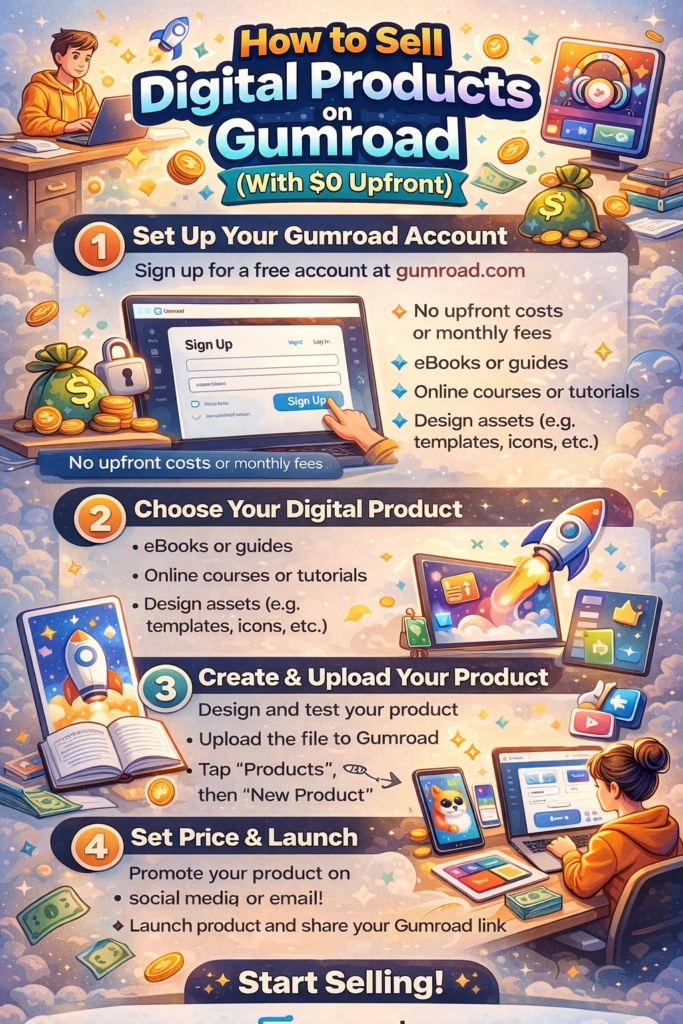
Step 1: Setting Up Your Account for Success
The signup process is frictionless. You can log in with an email, Facebook, or Twitter account. However, the difference between a hobby account and a business account lies in how you configure your settings after the signup.
Configuring Your Payout Method
You cannot get paid if Gumroad doesn’t know where to send the money. This is the first thing you should set up.
Go to Settings > Payments.
Gumroad offers two primary ways to pay you, depending on where you live:
- Direct Bank Deposit: This is available in many countries (including the US, UK, Australia, Canada, and much of the EU). Gumroad will transfer funds directly to your bank account.
- PayPal: If direct deposit isn’t supported in your country, PayPal is your route. Note that PayPal payouts carry a 2% processing fee on top of standard fees.
Crucial Note on Residency: You must physically live in the country where your bank account or business is registered. You cannot live in one country and try to use a bank account in another to bypass restrictions. Gumroad requires proof of residency and a valid government ID to verify your identity.
completing Your Profile
Don’t skip the bio. When a customer lands on your product page, they will often click your profile name to see if you are trustworthy.
- Profile Photo: Use a clear headshot or a professional logo.
- Bio: Keep it short and benefit-driven. Instead of “I like graphic design,” try “Helping small business owners brand themselves with affordable templates.”
- Design: You can customize the highlight color and background. Keep it clean.
Step 2: Creating Your First Product
Click “Products” in the dashboard and select “New Product.”
Gumroad allows you to sell physical goods, newsletters, and memberships, but today we are focusing on Digital Products. This includes eBooks, PDFs, presets, templates, software, or video courses.
Naming and Pricing
Give your product a clear, descriptive name. “Ultimate Pro Guide” is vague. “The 2025 Instagram Content Calendar Template” is specific and searchable.
For pricing, you will enter your desired amount. We will discuss the “0+” strategy in the next section, but for a standard paid product, simply enter the price (e.g., $19).
The Content: Uploading Your Files
This is where you deliver the goods. You can upload your file directly to Gumroad. When a customer buys, Gumroad sends them a secure link to download it.
File Size Limits Matter:
- Paid Products: If your product costs $1 or more, the file size limit is 16 GB. This is huge and covers almost any video course or software package.
- Free Products: If your product is free (or $0+), the file size limit drops to 250 MB. If your free lead magnet is a 1GB video file, you will need to host it elsewhere (like Google Drive or Dropbox) and sell a PDF containing the link on Gumroad.
The Visuals: Thumbnails and Covers
Visuals make the sale. Since customers can’t touch a digital product, they judge it by the cover.
- Product Thumbnail: This appears in the Gumroad Discover marketplace and your profile.
- Rule: It must be square.
- Size: Minimum 600 x 600 pixels.
- Product Cover: This is the hero image at the top of your product page.
- Rule: It is a rectangle.
- Size: Recommended 1280 x 720 pixels.
Pro Tip: Do not just upload a screenshot of a PDF. Create a “mockup.” Use free tools like Canva to put your eBook cover onto a 3D book image, or your software onto a laptop screen. This increases the perceived value of the product instantly.
Step 3: Mastering “Pay What You Want” Pricing
If you are a beginner with no audience, your hardest task is getting attention. The “Pay What You Want” (PWYW) feature is your secret weapon.
This allows you to set a price of $0+.
Why give work away for free?
You aren’t giving it away for nothing; you are trading it for data. When a customer downloads a free product on Gumroad, their email address is added to your customer list.
An email list is the most valuable asset a digital business owner can have. You own it. Algorithms can’t take it away.
How to set it up:
- In the pricing section, toggle “Allow customers to pay what they want.”
- Set the minimum price to $0.
- Set a “Suggested amount” (e.g., $5).
Many people will enter $0 to get the item for free. That is fine—you just gained a subscriber. However, you will be surprised by how many people act generously and pay the suggested amount to support you.
Strategy: Create a smaller, high-value product (like a checklist or a mini-guide). List it for $0+. Use it to build a list of 100-500 people. Then, create a premium product and email that list to sell it.
Step 4: SEO and Discoverability
Gumroad is not a search engine in the same way Amazon or Google are. You cannot rely solely on people “stumbling” upon your product. However, Gumroad pages do rank on Google. You need to help Google understand what you are selling.
Customize Your URL
By default, your product link will look like gumroad.com/l/xcjkhs. This looks like spam.
On the product edit page, look for the gray text under the product description that shows the URL. You can edit the end of this link.
Change it to something readable and keyword-rich.
- Bad:
/l/product1 - Good:
/l/lightroom-presets-wedding
This helps potential buyers trust the link, and it helps search engines identify the content of the page.
Description and Call to Action
Write a description that focuses on the result, not just the features.
- Feature: “50-page PDF.”
- Result: “Learn to edit photos 3x faster.”
Use bullet points to make it skimmable. At the end of the description, include a clear call to action like “Click ‘I want this!’ to start downloading immediately.”
Step 5: Getting Paid
You’ve set up the account, uploaded the product, and made a sale. When does the money hit your bank account?
Gumroad payouts happen weekly, specifically on Fridays.
However, there are rules to know:
- The $10 Threshold: You must have a balance of at least $10 USD. If you make a $5 sale, that money sits in your account until you make another sale to cross the $10 mark.
- The 7-Day Hold: Sales need to “settle.” Gumroad holds the money for at least 7 days before it is eligible for payout. This creates a buffer for refunds or chargebacks.
- The First Review: When you start selling, Gumroad’s risk team reviews your account. This is to prevent fraud. This review usually happens after your first few sales and takes about 1-3 weeks.
Important: Do not try to speed this up by buying your own product. Gumroad’s system flags self-purchases as potential money laundering or ranking manipulation, which can get your account banned. Be patient.
Gumroad vs. The Alternatives
Is Gumroad right for everyone? No. But for the bootstrapper, it wins on logic.
- Gumroad vs. Shopify: Shopify is for building a brand with a custom website. It is powerful but expensive ($29+/mo) and complex. Gumroad is for selling a product. It is simple and free to start.
- Gumroad vs. Etsy: Etsy provides traffic (shoppers), which is great. But Etsy charges listing fees (20¢ per item every 4 months) and takes a transaction cut. Gumroad gives you higher profit margins and total ownership of your customer email list, which Etsy restricts.
Final Advice: Validation is the Goal
The beauty of the Gumroad model is that it allows you to fail cheaply.
If you spend three months building a complex website and nobody buys, you have lost time and money. If you spend a weekend setting up a Gumroad product and nobody buys, you have lost a weekend—but you learned something valuable without spending a dollar.
Designing the product is the fun part. Selling it is the hard part. Gumroad removes the technical friction so you can focus entirely on finding customers and providing value.
Don’t wait for the perfect website. Don’t wait for a budget. Create your product, upload it, and start your business today.
Frequently Asked Questions (FAQ)
Is Gumroad actually free?
There is no monthly fee. Gumroad takes a 10% cut of every sale you make, plus processing fees. If you don’t make sales, you don’t pay anything.
Can I sell physical products on Gumroad?
Yes, you can. You can collect shipping information at checkout. However, Gumroad is primarily optimized for digital goods, and you will be responsible for handling the fulfillment and shipping yourself.
What happens with taxes?
Gumroad acts as the Merchant of Record. They automatically calculate, collect, and remit digital sales tax (VAT, GST, etc.) on your behalf. You are still responsible for your own income tax on the earnings you receive.
Can I use a custom domain?
Yes. Instead of username.gumroad.com, you can set up shop.yourdomain.com. This is an advanced feature but great for branding once you are established.