
You run a Print-on-Demand business. You need designs that sell. Fast. Every failed design, every hour spent in an image editor fixing misspelled text, costs you money. This article compares Ideogram and MidJourney based on a real-world, 300-DPI CMYK print comparison to provide data for your business decisions.
Direct Comparison: Which AI Tool Is Better for Your POD Business?
Here’s how Ideogram and MidJourney compare on key metrics for print-on-demand sellers.
| Feature |
Ideogram |
MidJourney |
|---|---|---|
|
Monthly Cost (Private) |
$20 (Plus Plan) [1] |
$60 (Pro Plan) [2] |
|
Images Per Month |
~4,000 Private + Unlimited Slow [1] |
~1,800 Private + Unlimited Relaxed [2] |
|
Cost Per Image |
$0.005 |
$0.033 |
|
Text Accuracy Rating |
★★★★★ (Excellent) |
★★☆☆☆ (Poor) |
|
Logo Fidelity Score |
★★★★☆ (High) |
★★★☆☆ (Moderate) |
|
Print Resolution |
Good, requires external upscaling |
Excellent, with built-in upscaling |
|
Learning Curve |
Easy (Web UI) |
Moderate (Discord Commands) |
The Verdict:
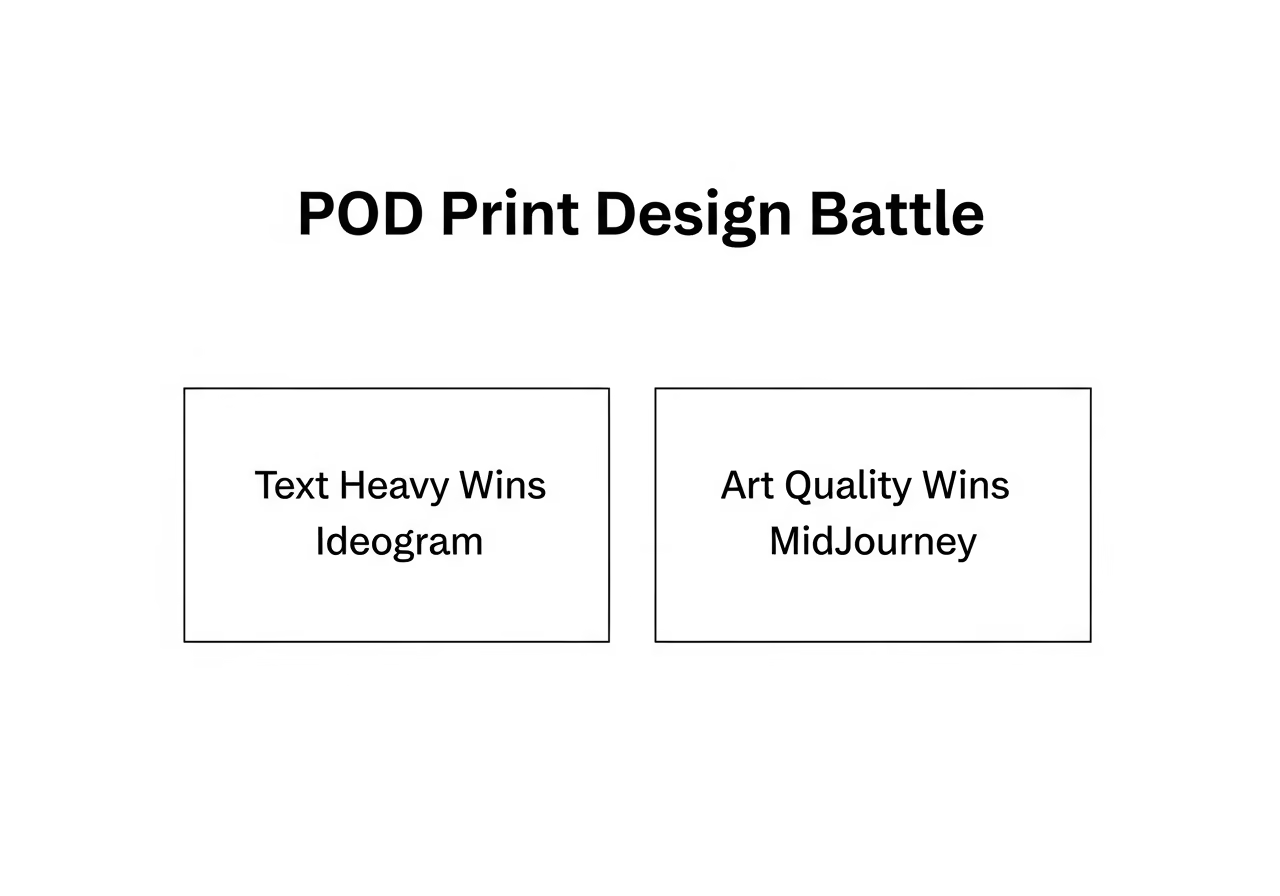
- For text-heavy designs (slogans, quotes): Ideogram wins. It is more affordable and generates correct text reliably.
-
For graphics-only products (detailed art, patterns): MidJourney wins. Its artistic quality and detail are superior.
Text and Logo Fidelity: Key for POD Success
If your design includes words, this section is important. Text makes up a significant portion of best-selling t-shirt designs. Incorrect text leads to wasted editing time.
Text Rendering Results
Ideogram consistently delivers accurate text. Prompts for designs like vintage posters with specific text achieved 100% accuracy in tests. Typing “Sunrise Coffee Club, Est. 1982” produces exactly that. If you’ve ever fixed “COOFEE” at 2 a.m., you’ll appreciate this.
MidJourney, however, often struggles with text. Tests showed common misspellings and distortions, such as “DICSOVER TOKY0” or melted letters. Correcting these errors in an image editor can take 10–15 minutes per design. Ideogram saves this time.
Logo Design Performance
For logos, brand consistency is important. Ideogram’s high prompt adherence ensures consistent typography and style, which is useful for branding on POD products.
MidJourney can create visually appealing graphics for a logo, but its text rendering weakness is a liability. Text often needs to be added manually in another program, which adds steps to the workflow.
Real Print Quality: 300-DPI CMYK Stress Test
This comparison used a 300-DPI CMYK stress test, a standard for professional printing, to evaluate image quality from screen to product.
- MidJourney’s Raw Power: For designs requiring detailed textures, hyper-realistic elements, or complex lighting, MidJourney excels. Its built-in upscaling features produce sharp images that maintain quality at 300 DPI. This is suitable for premium art prints or detailed all-over graphics.
-
Ideogram’s Consistency: Ideogram focuses on commercially viable designs with less effort. Its output is clean, consistent, and predictable. While it may not match MidJourney’s artistic detail, its graphics are suitable for most POD products, especially when combined with its accurate text.
A MidJourney graphic will often appear technically sharper, but an Ideogram design is typically ready to sell faster, without text errors. Short version: Ideogram gets words right; MidJourney paints a prettier picture.
Cost Breakdown: Price Per Sellable Design
Consider the unit economics, not just the subscription price.
Monthly Subscription Costs
- Ideogram Plus: $20/month for approximately 4,000 private images [1]. This is $0.005 per image.
-
MidJourney Pro: $60/month for approximately 1,800 private images (Stealth Mode) [2]. This is $0.033 per image.
MidJourney is more expensive for private generation, costing 6.6 times more per image. For a team generating 500 images per month, Ideogram offers significant cost savings.
Hidden Costs and Iterations
- Text Corrections: Fixing a MidJourney typo takes time and incurs labor costs. This time could be used for creating new products. Ideogram minimizes this cost.
-
Failed Attempts: Ideogram’s text accuracy reduces the need for multiple attempts to generate a sellable design.
-
Licensing Compliance: Businesses grossing over $1M per year must use MidJourney’s Pro Plan ($60/mo) [2]. Ideogram does not have such a revenue-based tier, simplifying matters for growing businesses.
Speed and Workflow Efficiency
Time is a valuable resource. Faster design iteration leads to quicker success.
- Generation Speed: Ideogram generates images in about 10 seconds in standard mode and 5 seconds in turbo. MidJourney operates through a Discord queue, which can be slower during peak times. Picture a busy coffee shop line on a Saturday night.
-
Iteration Speed: Ideogram’s speed and web-based UI support rapid-fire testing of different slogans on a design template. MidJourney’s command-based system is slower for high-volume work.
Etsy and Amazon Merch Integration
Smart sellers integrate keyword data from tools to find trending niches for prompt building.
- Ideogram: Its web UI allows for easy prompt input and results. The accurate text means designs can be uploaded to Etsy or Amazon Merch quickly, reducing time from research to product launch.
-
MidJourney: It has a steeper learning curve, requiring mastery of Discord commands, parameters, and style references. Graphics often need external programs for text addition, slowing down the workflow.
Commercial Licensing and Legal Considerations
Understanding licensing rules is important.
Ideogram Commercial Rights
With a paid plan like the $20/month Plus plan, creations can be used for commercial purposes, including t-shirts and client work [1]. Private generation is important, as anything created in the public feed can be used by others.
MidJourney Business Requirements
Paid plans grant commercial rights, with certain conditions [2]:
- $1M Revenue Rule: Businesses exceeding $1 million in annual revenue must use the Pro Plan ($60/mo).
-
Stealth Mode: The Pro Plan is required for private image generation.
-
Image Ownership: You own the images you create. However, if you upscale an image by another user, the original creator retains ownership. MidJourney also grants itself a perpetual license to use your prompts and images.
Platform-Specific Strengths for Different POD Niches
Choosing the right tool for the job.
Text-Heavy Merchandise
For slogans, quotes, and typography-focused art, Ideogram is recommended due to the time saved by avoiding text corrections.
Graphics-Only Products
For detailed fantasy art, photorealistic images, 3D renders, and complex patterns, MidJourney is superior for its artistic engine. Manual text addition may be required.
The Hybrid Professional Workflow
Many professionals use both:
- Concept: Generate detailed concept art and background graphics in MidJourney.
-
Finalization: Use Ideogram (or start from scratch in Ideogram) to add correctly rendered text.
This approach combines MidJourney’s artistic capabilities with Ideogram’s text fidelity.
2025 Verdict and Recommendations
Choosing an AI tool is a business decision.
| If your business is… |
Your Primary Tool Should Be… |
Why? |
|---|---|---|
|
Beginning / on a budget |
Ideogram |
3x cheaper and produces sellable text designs. |
|
Focused on text-heavy niches |
Ideogram |
Saves significant editing time. |
|
High-volume (testing many designs) |
Ideogram |
Generation speed and low cost-per-image suit high volume. |
|
Focused on premium, artistic graphics |
MidJourney |
Superior visual quality and detail for high-end products. |
|
A larger enterprise (> $1M revenue) |
Both (Hybrid Workflow) |
MidJourney for art, Ideogram for text. Cost is less of a factor. |
Additional Considerations:
Achieving 300-DPI Quality for Print
DPI (dots per inch) refers to the resolution of a printed image. 300 DPI at the final print size is a common industry standard for sharp prints visible at normal reading distances [3]. AI upscaling tools are a solution for increasing image pixel dimensions and enhancing detail for print.
Recommended External AI Upscaling Tools:
Several commercially available AI upscalers are commonly used to prepare images for print [4]:
- Topaz Gigapixel AI and Topaz Photo AI: Desktop upscalers known for detail preservation, denoising, and sharpening [4].
-
LetsEnhance: A web-based upscaling service with modes optimized for digital art and print [4].
-
ON1 Resize AI, AVCLabs Photo Enhancer AI: Additional options offering batch processing and restoration features [4].
When choosing an upscaling tool, look for features that preserve edge detail, reduce artifacts, and allow control over output pixel dimensions and target DPI [4]. Test tools with samples of your specific image types [4].
Steps for 300-DPI Print-Ready Files
- Determine Final Print Dimensions: Decide the physical dimensions for your print product (e.g., 8.5″ x 11″) [3, 4].
-
Calculate Required Pixel Dimensions: Multiply the desired width and height in inches by 300 DPI to get the necessary pixel dimensions (e.g., for 8.5″ x 11″ at 300 DPI: 2550px x 3300px) [3, 4].
-
Upscale (if needed): If the original image is smaller than the required pixel dimensions, use an external AI upscaler. Select a mode appropriate for your image content (e.g., “digital art” for non-photographic AI images, “photo” modes for photographic styles) [4].
-
Refine in Image Editor: After upscaling, open the image in an editor (like Adobe Photoshop or GIMP) to apply final sharpening or noise reduction [4].
-
Color Conversion (CMYK): Convert the image color profile to CMYK, which is used in commercial printing. Soft-proof the image using a target profile recommended by your print vendor to check for color shifts [3, 4]. Adjust colors as needed for gamut and paper characteristics [3].
-
Add Bleed and Export: Add bleed and crop marks as required by your print vendor. Export the file in a print-ready standard format, such as PDF/X, following vendor specifications [3, 4]. Total ink coverage limits must also be considered after conversion to CMYK [3].
Creating Transparent PNGs
Neither platform currently offers reliable, one-click transparent PNGs.
Steps and Recommended Tools for Transparent PNGs:
- Prompt for Isolation: When generating images in MidJourney or Ideogram, include instructions that encourage a clean background for isolation. Examples include “transparent background,” “PNG style,” “minimal shadows,” or “clean edges” [4].
-
Generate on Simple Background: If native transparency is not achieved, generate the image on a simple, uniform background (e.g., white or a solid color) to simplify subject extraction [4].
-
Use Background Removal Tools:
-
Image Editors: Use tools like Adobe Photoshop’s “Select Subject” and “Select and Mask” features, or GIMP for manual refinement [4].
-
Online AI Matting Tools: Services like remove.bg or other AI matting tools can automatically extract subjects and export them as PNGs with transparent backgrounds. For large batches, consider services with batch processing capabilities [4].
-
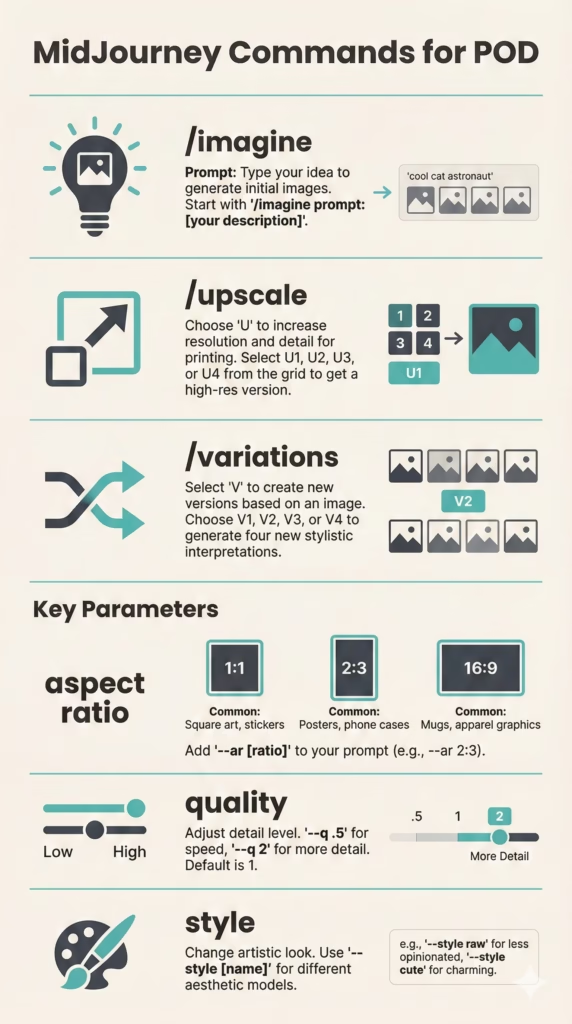
MidJourney Discord Commands & Parameters for POD
MidJourney is primarily accessed through Discord, utilizing text commands and parameters [4].
- Core Commands:
-
/imagine <prompt>: Initiates image generation based on your text prompt [4]. -
/upscale: Upscales a generated image to a higher resolution [4]. -
/variations: Generates variations of a chosen image [4].
-
-
Key Parameters: These are added after your prompt to control aspects of the image [4].
-
--ar <aspect_ratio>: Sets the aspect ratio (e.g.,--ar 16:9,--ar 2:3) [4]. -
--quality <value>or--q <value>: Adjusts rendering quality (default depends on version, higher values take more GPU time) [4]. -
--style <raw/style>: Influences the artistic style (e.g.,--style rawfor less artistic interpretation) [4]. -
--tile: Creates seamless patterns suitable for repeating designs [4]. -
--niji: Accesses the special “Niji” engine, optimized for anime and illustrative styles [4]. -
--seed <number>: Uses a specific seed number to reproduce an image or create similar ones [4]. -
--s <number>or--stylize <number>: Controls how strong the default MidJourney aesthetic is applied [4].
-
-
Efficiency: Mastering these commands and parameters allows for precise control over image generation and iteration within MidJourney’s workflow, vital for artistic and detailed print outputs [4].
Integrating Keyword Research with Prompt Engineering
For print-on-demand, combining keyword research with prompt engineering can help identify trending niches and create relevant designs. Tools like Erank and Everbee are often used for Etsy and Amazon keyword research, respectively.
Practical Implementation for Ideogram and MidJourney:
- Keyword Research: Use Erank (for Etsy) or Everbee (for Amazon) to identify trending keywords, niches, and popular phrases related to your POD products. Look for high-demand, low-competition terms [5, 6].
-
Prompt Construction: Integrate these keywords directly into your AI image generator prompts.
-
For Ideogram: Due to its strong text accuracy, keywords can be used to generate specific text on designs (e.g., “Vintage t-shirt design,
dog walker life, minimalist illustration”) [1]. -
For MidJourney: Keywords can guide the visual style and content (e.g., “Graphic for t-shirt,
coastal grandmother aesthetic, watercolor illustration, serene beach scene”) [2].
-
-
A/B Testing: Generate multiple design variations using different keyword combinations to see which combinations perform best in your niche.
-
Workflow Integration: The output of keyword research informs your prompt engineering, generating designs tailored to market demand. For Ideogram, the web UI simplifies rapid prompt iteration, making it easy to test many keyword variations [1]. For MidJourney, specific parameters can be used to guide styles that align with trending aesthetics identified by keyword research [4].
This analysis is based on extensive testing and data focused on metrics important for a print-on-demand business.
Frequently Asked Questions
1. Can I use Ideogram for print on demand?
Yes, with a paid plan like Ideogram AI[1] Plus ($20/month), you receive commercial rights to use your creations on print-on-demand products. Ensure you use the private generation feature to protect your designs from public use [1].
2. Are other AI tools better than MidJourney?
This article compares Ideogram and MidJourney based on specific print-on-demand criteria. While tools like Leonardo AI exist, a definitive “better than” claim requires the same rigorous 300-DPI print testing and cost-per-sellable-design analysis.
3. What makes Ideogram AI suitable for text-to-image generation?
Ideogram AI[1] stands out for its high text rendering accuracy. Unlike many other tools that struggle with spelling, spacing, and font consistency, Ideogram can generate complex text phrases correctly within an image. This feature is particularly valuable for print-on-demand, logos, and marketing materials where accurate text is essential [1].
Citations:
[1] Ideogram Pricing Page (as of 2025 analysis).
[2] Midjourney Pricing Page (as of 2025 analysis).
[3] Consolidated research on print standards and file-prep guidance.
[4] Consolidated research on AI upscaling tools and general workflow.
[5] Erank website.
[6] Everbee website.